
Continuity is the silent killer of AI short dramas. A single scene can look polished in every individual frame and still fall apart when the shots are cut together. The jacket changes color. The necklace disappears. The coffee cup switches hands. The face softens or hardens between cuts. Most of these problems are preventable with a short planning step that happens before any generation begins.
I’m Claire Morgan. I learned continuity the hard way—by watching otherwise strong scenes collapse in the edit because I had treated each generation as a separate event. Now I run a simple continuity plan for every project. The method below covers the four areas that break most often: faces, costumes, props, and locations. It is deliberately lightweight so it actually gets used.
Why Continuity Breaks So Easily in AI
Traditional production has physical continuity: the same clothes, the same objects, the same lighting setup. AI generation has no physical memory. Every new image or video clip is a fresh sample. Without explicit, repeated constraints, the model will invent new details.
The drift is rarely random. It follows patterns:
Faces gradually become more symmetrical or more idealized
Clothing colors shift toward the model’s preferred palette
Small props vanish or change shape
Background elements rearrange themselves
A continuity plan does not eliminate these tendencies. It makes them visible early and gives you a clear standard for accepting or rejecting generations.
The Continuity Document I Actually Use
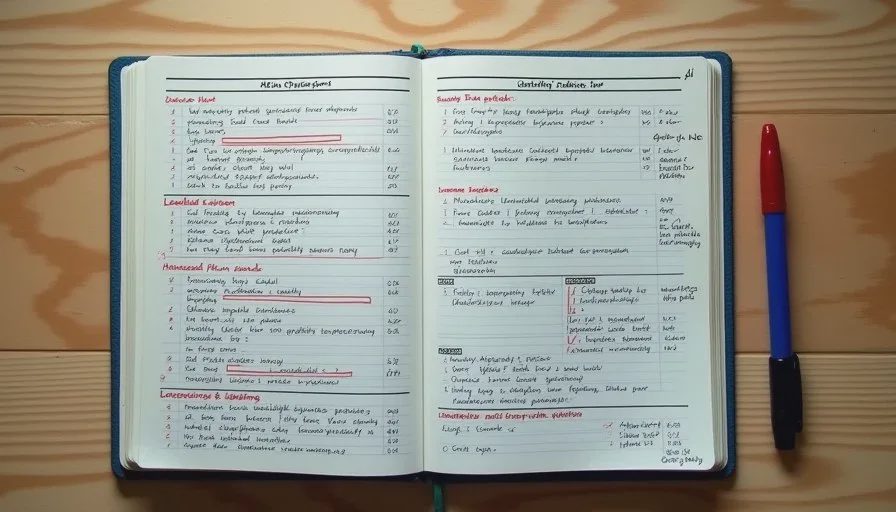
I keep the continuity plan to one page. It lives next to the character bible and the shot list. The sections are:
Face Lock Summary
Costume Lock (primary outfit + any changes)
Key Props List
Location and Lighting Notes
Shot-by-Shot Continuity Checks
I fill this out after the character bible and shot list are finished and before I generate the first reference images. The act of writing it forces decisions that later save time.
Faces: Locking Identity Across Shots
Face drift is the most noticeable failure. Even small changes in eye shape, jawline, or age read as a different person.
My face continuity rules:
Extract a short face lock block from the character bible and paste it unchanged into every prompt
Generate a primary reference sheet (3–6 clean medium and close-up frames) before any scene work
Use the same reference image(s) for every subsequent generation of that character
Check eye direction, eyebrow shape, and mouth resting position against the reference when reviewing
I also note the lighting direction on the face in the first accepted shot. If the key light comes from camera left in the wide shot, I keep that direction in the mediums and close-ups unless the story specifically requires a change.
When a generation comes back with a slightly different face, I do not try to “fix” it in later shots. I reject it and regenerate. Mixing versions creates a worse problem than a short delay.
Costumes: One Outfit, Clear Details
Costume drift is almost as common as face drift and often easier to prevent.
I lock one primary outfit per scene or episode and describe it with observable details: color, fabric, fit, sleeve state, and any logos or distinctive wear. Vague terms such as “casual jacket” or “nice shirt” are banned from the document.
If the story requires a costume change, I treat it as a new lock and note the exact moment the change happens. I never allow gradual or unexplained shifts.
Practical habit: I keep a printed photo or a strong generation of the full outfit visible while prompting. Looking at the actual garment reduces the chance I will accept a close variation.
Props: The Small Objects That Betray You
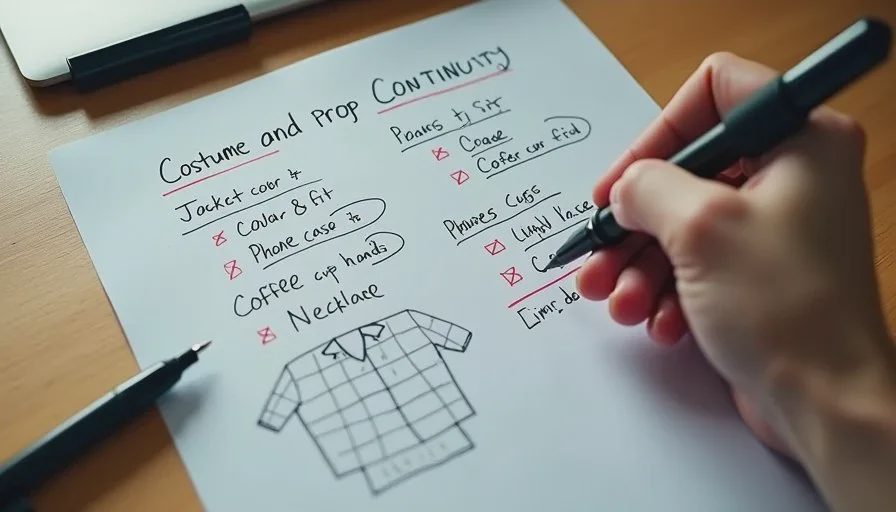
Props are continuity landmines. Phones, cups, keys, letters, and bags change hands, colors, and shapes more often than faces.
My prop rules are strict:
List every story-important prop before generation
Note which hand holds it and in which shots it must appear
Describe distinctive features (phone case color, cup type, paper condition)
Generate a clean insert of the prop early if it will appear in close-up
If a prop is only atmospheric, I keep it out of the continuity document. The fewer items I try to lock, the higher the success rate on the ones that matter.
In the edit I do a dedicated prop pass: I watch the cut once while looking only at the hands and the key objects. Problems that were invisible during generation become obvious.
Locations and Lighting: Keeping the World Stable
Location drift shows up as shifting furniture, changing window positions, or background elements that rearrange themselves. Lighting drift shows up as the key light jumping sides or the overall color temperature shifting.
I handle location continuity with three notes:
A short description of the key visible architecture or furniture
The primary light source and its direction
Any elements that must remain constant (the same table, the same door, the same street view)
For multi-shot scenes in the same location I generate the wide or establishing shot first and use it as a reference for all subsequent shots. This single habit reduces background drift more than any prompt language I have tried.
If the scene moves to a new location, I treat it as a fresh continuity block rather than trying to stretch the previous one.
Shot-by-Shot Continuity Checks
The final section of the document is a quick checklist tied to the shot list. For each shot I note:
Face lock required?
Costume details that must match previous shot
Props that must be present or absent
Lighting direction
This checklist turns review into a binary process. A generation either passes the checks for its shot or it does not. I no longer rely on a general feeling that “something looks off.”
Common Continuity Failures and Fast Fixes
Problem: Face looks slightly different in the close-up.
Fix: Reject and regenerate using the same reference image and the identical face lock block. Do not try to bridge two versions.
Problem: Jacket color or fit drifts.
Fix: Strengthen the costume description and keep a visual reference visible. Regenerate the affected shots.
Problem: Prop changes hands or disappears.
Fix: Add explicit hand and prop notes to the prompt for those shots. Generate an insert if needed.
Problem: Background elements move between the wide and the medium.
Fix: Generate the wide first and feed it as a reference. Simplify the background description if the tool keeps inventing new details.
Problem: Lighting direction flips.
Fix: State the key light direction in every prompt. Match it to the establishing shot.
How Continuity Planning Fits the Larger Workflow
The continuity plan sits after the character bible and shot list and before heavy generation. It is the last planning document I complete. Once it exists, generation becomes a process of meeting known standards rather than hoping for usable accidents.
During editing the same document becomes a quality-control checklist. I can move through the cut and verify each continuity point instead of discovering problems only when the scene feels “wrong.”
A good AI short drama still needs a human director. Continuity planning is one of the clearest places where that human attention shows up. The tools will keep inventing. Your job is to decide what must stay the same and then enforce it.
Before your next scene, spend fifteen minutes on the one-page continuity plan. Lock the face, the outfit, the key props, and the light direction. Then generate. The number of shots that actually cut together usually rises in a way you can feel immediately.
Travellers Write
No letters yet — be the first traveller to write.