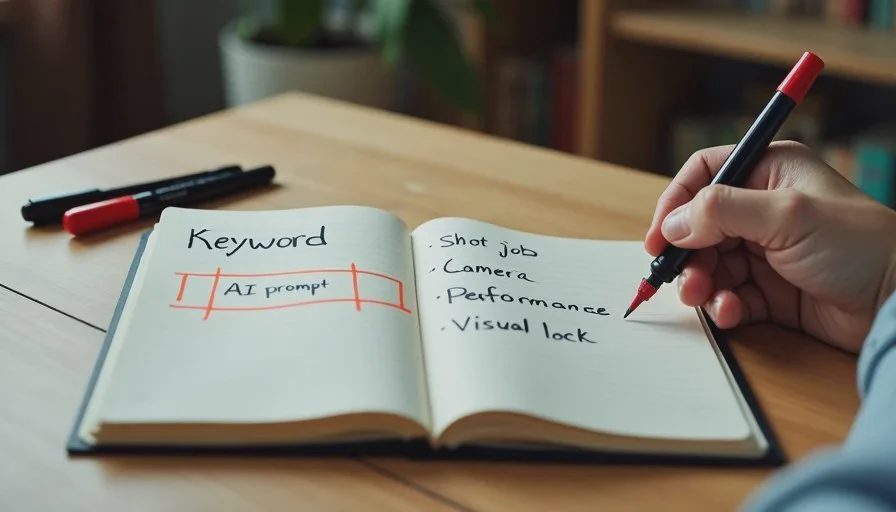
Most AI image and video prompts still look like shopping lists: “cinematic lighting, highly detailed, 8k, emotional, beautiful face, dramatic atmosphere.” The results can look impressive. They rarely serve a specific story moment. The difference between a keyword collector and a director is intention. A director decides what the shot must accomplish before describing how it should look.
I’m Claire Morgan. After enough projects where beautiful generations refused to cut together, I changed the way I write prompts. I now treat every prompt as a short directing note. The method below is the one I use for both still image references and image-to-video generations. It keeps the character consistent, the camera purposeful, and the emotional beat clear.
Why Keyword Lists Fail in Story-Driven Work
Keyword lists optimize for surface quality. They do not optimize for function. A prompt full of style adjectives can produce a striking frame that still fails the scene because:
The camera distance is wrong for the beat
The character’s expression does not match the required emotion
The lighting direction breaks continuity with the previous shot
The framing cuts off a prop or gesture the story needs
When I review failed generations, the root problem is almost always the same: I never told the tool what the shot was supposed to do. I only told it what I wanted it to look like.
Director-style prompts reverse the order. Function comes first. Appearance supports function.
The Four-Part Prompt Structure I Use
Every serious prompt I write now contains four clear parts in this order:
Shot job (what the audience must understand)
Camera and framing
Character performance and state
Visual lock and environment
This structure keeps me from drifting into pure aesthetic language.
Part 1 – Shot Job
One short clause that states the purpose.
Example: “Medium shot showing her realize the message is serious.”
Part 2 – Camera and Framing
Specific, film-language terms.
Example: “Medium shot, eye-level, slight over-the-shoulder angle, shallow depth of field.”
Part 3 – Character Performance
Observable behavior, not abstract emotion words.
Example: “She holds the phone with both hands, shoulders slightly raised, eyes locked on the screen, mouth closed and tight.”
Part 4 – Visual Lock and Environment
The character lock block plus only the environment details that matter for continuity or story.
Example: “Early 30s woman, oval face, light brown eyes, straight dark brown hair to the shoulders… worn olive green utility jacket… sitting at a small wooden café table, cool overcast window light from the left.”
When these four parts are present, the generation has a much higher chance of being usable in the edit.
Replace Abstract Words with Observable Direction
Abstract words are the enemy of consistency. “Sad,” “cinematic,” “intense,” “beautiful,” and “dramatic” all leave too much interpretation to the model.
I replace them with what the camera can actually see:
Instead of “sad” → “eyes looking down, eyelids slightly heavy, mouth closed and still”
Instead of “intense” → “direct eye contact with the other character, jaw set, minimal blinking”
Instead of “cinematic lighting” → “soft window light from camera left, gentle falloff on the right side of the face”
Instead of “dramatic atmosphere” → “cool overcast daylight, slight haze in the background, muted color palette”
This habit alone reduces the number of unusable generations. The model is no longer guessing what “intense” means in this specific moment. It is following visible instructions.
Keep the Character Lock Block Identical
The character lock block (face, hair, wardrobe) should stay exactly the same across every prompt for that character in the scene. Changing even small adjectives invites drift.
I keep the lock block in a separate note and paste it unchanged. All creative variation happens in the performance and camera sections. This single discipline is responsible for most of the face and costume consistency I get.
If a new generation suggests a better wardrobe or hair detail, I update the bible and the lock block, then regenerate the earlier shots. I do not mix versions inside the same scene.
Directing Performance Inside the Prompt
AI tools respond better to physical directions than to emotional labels. I focus on:
Eye behavior (where they look, how open or narrowed)
Mouth and jaw (closed, parted, tight, relaxed)
Head position and tilt
Shoulder and hand tension
Breath or stillness
These details give the model something concrete to generate and give me something concrete to evaluate. When a close-up comes back, I can check whether the eyes and mouth match the required beat instead of asking whether the face looks “emotional enough.”
For image-to-video I also add a short motion note: “slow push-in,” “subtle head turn toward the window,” “she lowers the phone after two seconds.” Keeping motion simple and purposeful prevents the tool from inventing distracting movement.
Common Prompt Habits I Actively Avoid
Starting with a long string of quality boosters (“masterpiece, best quality, ultra detailed”)
Listing every possible lighting adjective
Describing the character’s entire life story in the prompt
Changing the lock block between shots
Asking for “dynamic composition” without specifying the camera distance and angle
Using the same prompt for both a wide shot and a close-up
Each of these habits increases randomness. Randomness is expensive when you are trying to build a coherent sixty-second scene.
A Practical Before-and-After Example
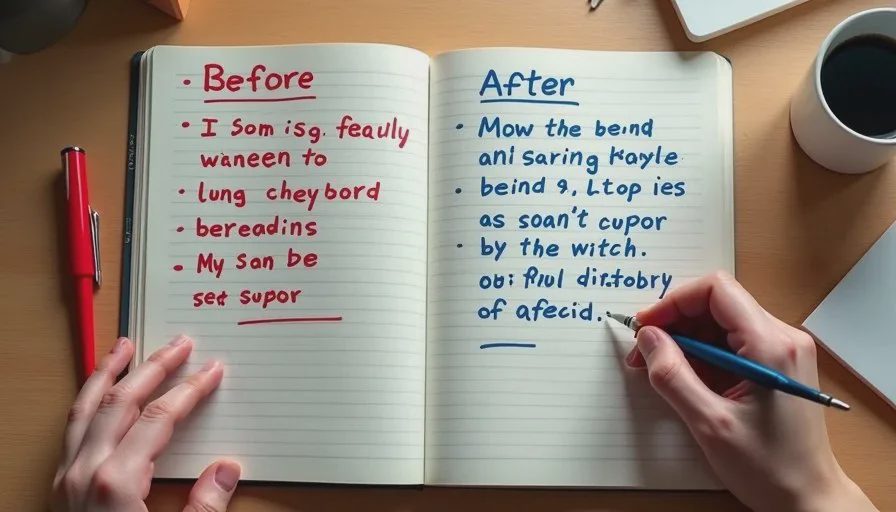
Keyword-collector version:
“A beautiful sad woman in a café looking at her phone, cinematic lighting, highly detailed face, emotional, 8k, dramatic atmosphere, depth of field”
Director-style version:
“Medium close-up showing her realize the message is serious. Eye-level, shallow depth of field, soft window light from camera left. She holds the phone with both hands, shoulders slightly raised, eyes locked on the screen, mouth closed and tight. Early 30s woman, oval face, light brown eyes, straight dark brown hair to the shoulders with a side part, small mole on the left cheek, wearing a worn olive green cotton utility jacket over a white crew-neck t-shirt. Small wooden café table, cool overcast daylight.”
The second version is longer but far more useful. It tells the tool what the shot must accomplish, how it should be framed, how the character should behave, and which visual details must stay locked.
How This Fits the Larger Workflow
Director-style prompts sit after the character bible and the shot list. The shot list tells me the job of each frame. The character bible supplies the lock block. The prompt simply combines those two sources with specific performance and camera direction.
When a generation fails, diagnosis becomes faster. I can see whether the failure is in the performance direction, the camera description, or the lock block. I no longer have to guess why a “cinematic” image does not work in the scene.
A good AI short drama still needs a human director. Writing prompts like a director instead of a keyword collector is one of the most direct ways to stay in that role. Decide what the shot must do. Then describe only what the camera needs to see.
Take one shot from your current project. Rewrite the prompt using the four-part structure. Generate a fresh batch. The usable rate is usually higher, and the results sit more naturally inside the story.

Travellers Write
No letters yet — be the first traveller to write.