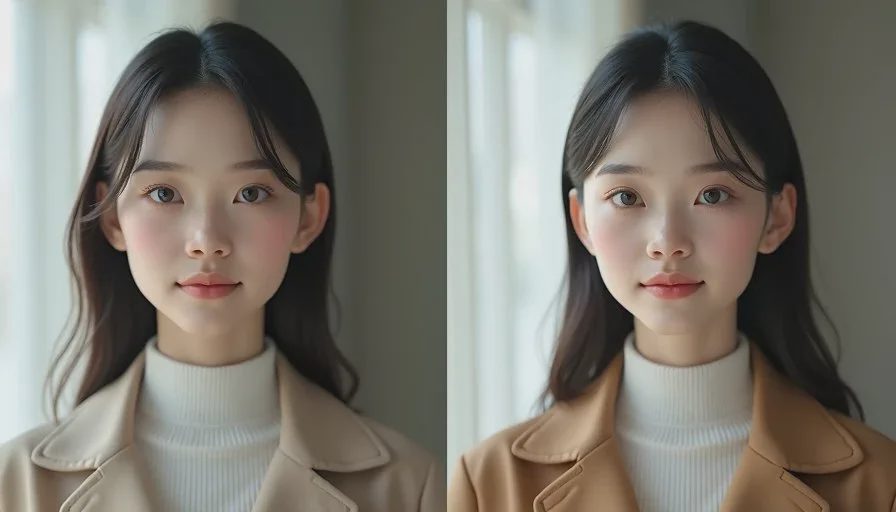
You generate a strong medium shot. The face looks right. The jacket is correct. Ten minutes later you generate the close-up and the same character has a slightly different jaw, softer eyes, and a jacket that is almost—but not quite—the same color. This is the most common continuity failure in AI short drama production. It is also one of the most fixable once you stop treating it as random bad luck.
I’m Claire Morgan. I have lost entire scenes to character drift and have spent a lot of time testing what actually reduces it. The causes are predictable. The fixes are practical. This post explains why the changes happen and which countermeasures consistently help inside a real multi-shot workflow.
Why the Character Changes Even When the Prompt Looks the Same
Current image and video models do not have persistent memory of a character across separate generations. Each new clip is a fresh sample guided by the text prompt and any reference images you provide. Small differences in how the model interprets the same words, plus the natural variation in diffusion sampling, produce drift.
Several factors make the problem worse:
The prompt contains vague or conflicting descriptors
Reference images themselves already contain small inconsistencies
Lighting direction or camera distance changes dramatically between shots
The model is asked to generate strong emotion or unusual angles without a stable base
Different tools or different versions of the same tool are mixed inside one scene
Understanding these causes is useful because it tells you where to intervene. You cannot eliminate variation completely. You can make the variation small enough that shots still cut together.
Fix 1: Lock the Identity in Writing Before You Generate
The first and most effective fix happens before any image is made. Write a short, specific character lock block and refuse to change it during the scene.
A useful lock block names observable traits: face shape, eye color, exact hair length and part, distinguishing marks, and the precise wardrobe. Avoid subjective words such as “attractive,” “intense,” or “stylish.” Those words invite the model to reinterpret the character on every generation.
I keep the lock block in a separate note and paste it identically into every prompt for that character. When I am tempted to improve a phrase mid-project, I update the master lock and regenerate earlier shots instead of mixing versions.
Fix 2: Build and Enforce a Small Reference Set
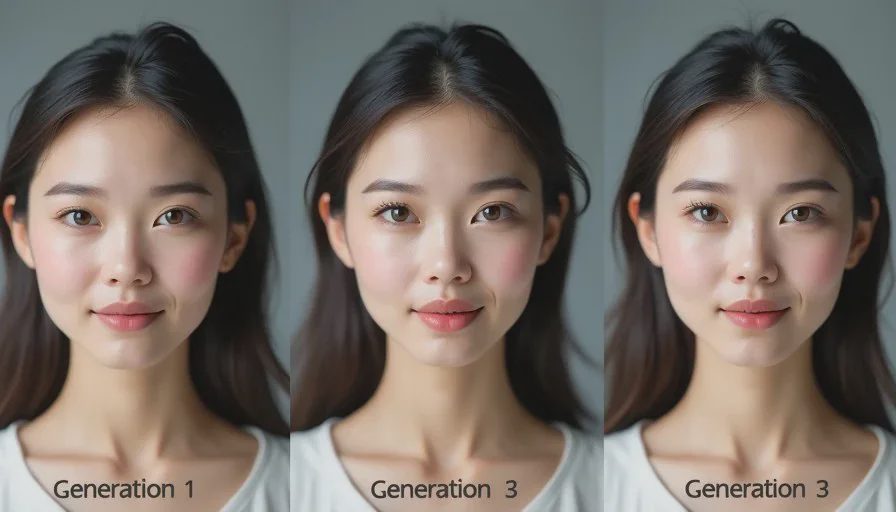
Text alone is rarely enough. A small set of clean reference images that already match the lock block gives the model a visual target.
The reference set should be deliberately neutral: consistent lighting, limited expression range, and the same wardrobe. I generate the references first, select only the frames that truly match one another, and then feed the best one or two into every subsequent scene generation.
When a new shot drifts, I do not try to prompt my way out of it with extra adjectives. I return to the clean reference and regenerate. Mixing a drifted face with a locked face inside the same scene usually creates a worse problem than the time cost of regenerating.
Fix 3: Control the Variables That Amplify Drift
Certain changes between shots make identity harder to hold. I actively limit them.
Lighting direction is the biggest amplifier. If the key light comes from camera left in the medium shot, I keep it from camera left in the close-up unless the story specifically requires a change. Large shifts in lighting encourage the model to reinterpret facial structure.
Camera distance also matters. Jumping from a wide shot in which the face is small to an extreme close-up without intermediate references increases drift. I generate intermediate medium shots that bridge the sizes when needed.
Strong, complex emotion in early generations is another risk. I lock the face in neutral or lightly serious expressions first, then add performance variation after the identity is stable.
Fix 4: Generate in a Deliberate Order
Order affects continuity. I generate the most constrained, identity-critical shots first—usually clean mediums and neutral close-ups—before I generate wider shots or strong performance moments.
Once I have two or three strong anchors, I use them as references for the more difficult frames. This is more reliable than generating the dramatic climax first and then trying to reverse-engineer a matching face for the quieter shots.
I also batch generations for the same character and the same lighting setup together. Switching tools or lighting setups mid-character increases the chance of visible shifts.
Fix 5: Review Side-by-Side, Not in Isolation
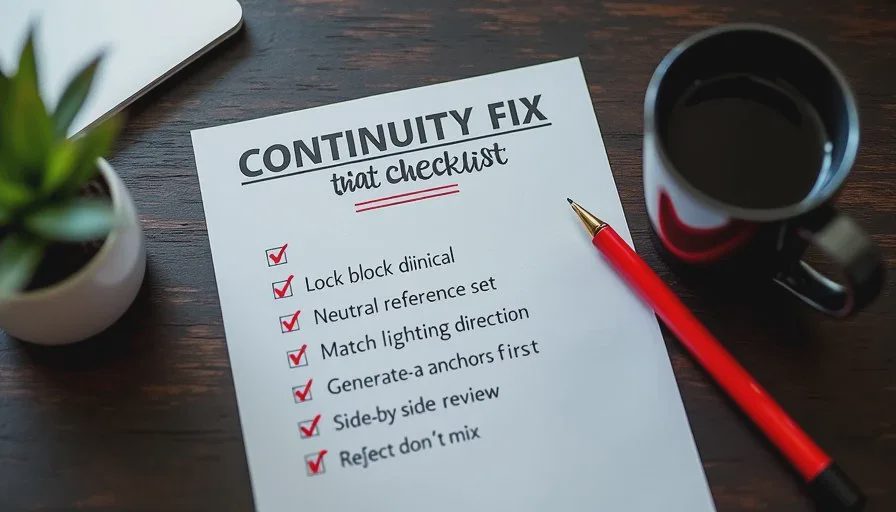
Drift is often invisible when you look at one image at a time. It becomes obvious when you place the new generation next to the approved reference or the previous shot.
I keep a simple review layout: the locked reference on the left, the new generation on the right. I check eyes, jawline, hair volume, and key wardrobe details in that order. If the face does not survive this comparison, it does not enter the edit.
This habit feels slow at first. It is faster than discovering the mismatch only after the scene is assembled and having to rebuild half the shots.
What Does Not Work Reliably
Some common suggestions help less than people hope:
Adding more quality boosters (“8k, highly detailed, perfect face”) rarely improves identity match and sometimes increases stylization drift.
Switching to a different model mid-scene usually makes continuity harder, not easier.
Trying to “average” two different faces in later generations tends to produce a third face that matches neither.
Relying solely on seed locking without strong visual references is inconsistent across tools and updates.
The methods that work are the ones that reduce the model’s freedom to reinterpret the character: tight written locks, clean visual anchors, controlled variables, and disciplined review.
A Practical Continuity Workflow Summary
Write the character lock block and keep it identical.
Generate a small neutral reference set and select only true matches.
Standardize lighting direction and limit extreme camera jumps.
Generate identity-critical shots first and use them as anchors.
Review every new generation side-by-side with the lock.
Reject and regenerate instead of mixing versions.
These steps do not make every generation perfect. They make the failures smaller and the usable rate high enough that a multi-shot scene can still be completed.
A good AI short drama still needs a human director. Character continuity is one of the clearest places where that direction is required. The tools will keep offering new faces. Your job is to decide which face is the character and then enforce it across every shot.
Before your next scene, put the lock block and the reference images in front of you. Generate the first shot. Compare. Only then move to the second. The number of times you have to stop and ask “wait, is that still the same person?” usually drops fast.

Travellers Write
No letters yet — be the first traveller to write.