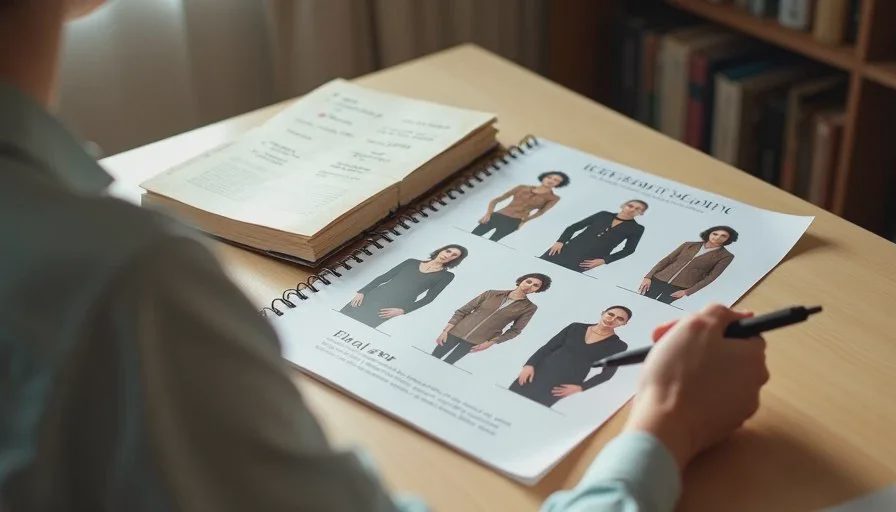
Consistent character reference images are the foundation of any AI short drama that has to hold together across multiple shots. Without them, every new generation becomes a negotiation with the model. The face softens, the hair shifts, the age drifts, and the costume quietly changes. Most of these problems can be reduced by building a small, deliberate reference set before you start generating the actual scene.
I’m Claire Morgan. I treat reference creation as its own production stage, not as a quick side task. The method below is the one I now use on every project. It is simple, repeatable, and designed for the realities of current image and video tools.
Why Most Reference Attempts Fail
Creators often generate a few images they like and immediately move into scene work. Those images usually share three weaknesses:
They were created with different prompts, so the face is already slightly inconsistent
They include strong expressions or action that later conflict with other shots
They were never checked against a written character lock
When these imperfect references are fed into later generations, the model compounds the small differences. The result is a character who looks related but not the same.
A usable reference set is deliberately neutral, tightly locked, and limited in number. Quality and consistency matter more than variety at this stage.
Start with the Written Lock, Not with Images
Before opening any image tool, finish the character bible and extract the lock block. The lock block should contain only the non-negotiable visual details: face shape, eye color, hair color and style, distinguishing marks, and the primary wardrobe.
This written lock becomes the prompt foundation for every reference image. I paste it unchanged. All creative energy goes into getting clean framing and neutral performance, not into rewriting the character description.
If the lock block is vague, the references will be vague. Fix the words first.
Choose the Right Shots for the Reference Sheet
I aim for a small set of five to eight images that cover the needs of later production:
Two or three clean medium shots (waist-up or mid-torso) from slightly different angles
Two close-ups with neutral expression
One slight three-quarter view
Optional: one full-body or wide shot if the wardrobe must be locked from head to toe
I avoid strong emotion, extreme head turns, and busy hand gestures in the reference set. Neutral or lightly serious expressions give the model a clean base. Emotional performance is added later during scene generation.
Lighting should be consistent across the set—soft, directional, and easy to match. I prefer a simple key light from one side so later shots can repeat the same direction.
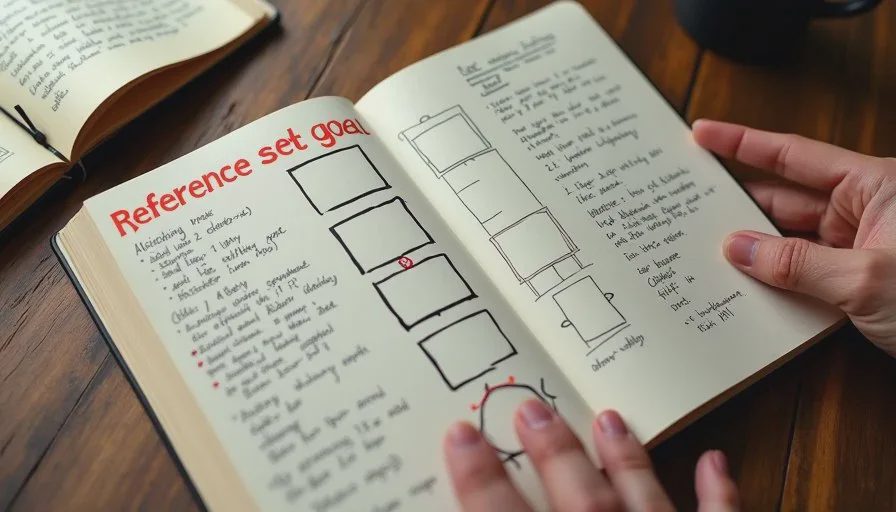
Generation Process That Improves Consistency
I generate references in a tight loop:
Paste the identical lock block
Add only framing, lighting, and neutral performance notes
Generate a batch
Select the strongest match to the lock
Use the best image as a reference for the next batch
Repeat until I have five to eight frames that clearly look like the same person in the same clothes
Feeding the best previous result back into the next generation is the single most effective consistency habit I have found. It anchors the model more reliably than text alone.
I also keep the camera distance and focal length description similar across the set. Large jumps from extreme wide to extreme close-up inside the reference sheet itself introduce unnecessary variation.
What to Look for When Selecting References
When I review a batch I check these points in order:
Does the face match the lock block on the first glance?
Is the hair length, part, and volume stable?
Is the wardrobe color, fit, and key detail identical?
Is the lighting direction usable for later shots?
Is the expression neutral enough to serve as a base?
Any image that fails the first three checks is discarded, even if it looks striking. Beauty is not the selection criterion at this stage. Match is.
I print or arrange the final selected references side by side and look at them as a group. Small drifts that were invisible in isolation often become obvious when the images sit next to each other.

Organizing and Naming the Reference Set
Good file hygiene prevents later confusion. I keep a dedicated folder for each character and name the files clearly:
CharacterName_Ref_Medium_01
CharacterName_Ref_Closeup_02
CharacterName_Ref_ThreeQuarter_01
I also save the exact prompt text that produced the best references. If I need to generate additional angles weeks later, I can return to the same language instead of trying to reverse-engineer it.
The final reference sheet (a single image that combines the best frames) is useful for quick visual checks, but the individual clean files are more important for feeding into video tools.
Using the References in Scene Generation
Once the set exists, every scene prompt for that character includes:
The original lock block text
One or two of the strongest reference images
I still generate more variations than I need for key shots, but the acceptance rate rises noticeably. The model has a concrete visual target instead of only a text description.
When a new generation drifts, I do not try to correct it by adding more adjectives. I go back to a clean reference and regenerate. Mixing a drifted face with a locked face inside the same scene creates worse continuity problems than a short delay.
Common Reference Mistakes and Fixes
Mistake: Using highly emotional or action-heavy images as primary references.
Fix: Keep the core set neutral. Create performance variations later.
Mistake: Allowing small wardrobe differences across the reference set.
Fix: Treat any clothing change as a new lock. Do not mix.
Mistake: Generating references with different lighting directions.
Fix: Standardize the key light side early and keep it.
Mistake: Keeping too many references.
Fix: Five to eight strong, consistent images outperform twenty loosely related ones.
Mistake: Skipping the side-by-side group check.
Fix: Always view the finalists together before locking the set.
How Reference Creation Fits the Larger Workflow
Reference generation sits after the character bible and shot list and before full scene production. It is a deliberate stage with its own completion criteria: a small set of images that clearly show the same person in the same clothes under usable lighting.
When this stage is done well, later video generation becomes faster and less frustrating. When it is rushed, the rest of the project spends time fighting drift instead of building the scene.
A good AI short drama still needs a human director. Creating consistent character reference images is one of the most concrete ways to exercise that direction before the tools start inventing. Build the set carefully. Then generate the scene. The difference in final continuity is usually visible within the first few edited shots.
Set aside time for references on your next project. Lock the face and wardrobe first. The rest of the workflow becomes more predictable once that foundation exists.



Travellers Write
No letters yet — be the first traveller to write.